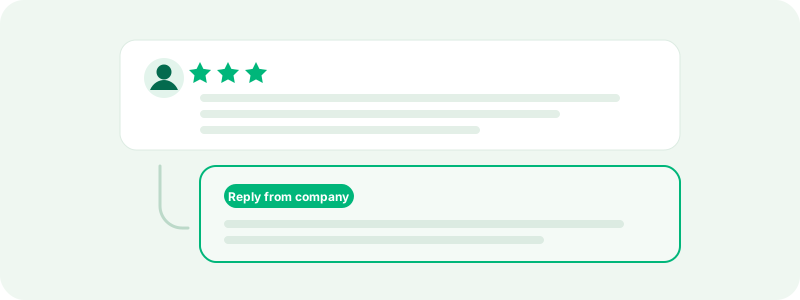
Every review of your company on TrustRating can carry one public response from you, displayed directly beneath the review for every future reader to see. That placement is the point: prospective customers reading your reviews are not just evaluating what your customers say — they are evaluating how you answer. A thoughtful reply under a two-star review often does more for a reader's confidence than another five-star review would.
This guide covers how to reply from the business panel, proven structures for answering negative and positive reviews, the tone traps that make replies backfire, and the cases where flagging a review is the right move instead.
Why replies matter
Three reasons to treat replying as a core habit rather than an occasional chore:
- Readers judge the response as much as the review. A complaint answered with ownership and a concrete fix reads as "this company takes problems seriously." A complaint met with silence reads as confirmation.
- Replies open the door to updated ratings. Reviewers can revise their review after the fact. A genuine resolution, offered publicly, is the most common reason a one-star review becomes a four-star one. The reply itself never changes your TrustScore — but the updated rating it earns does.
- Reply speed and coverage are visible. Your reviews page in the panel tracks your reply rate and how often you respond within 24 hours. Companies that answer most of their reviews, quickly, build a visibly different profile from those that don't.
How to reply from the business panel
- Open your company in the business panel and go to Reviews. The default Needs response view queues every published review that doesn't have a reply yet, newest first — your working inbox.
- Click Reply on a review to open the composer. Write your response — anything from a sentence to 5,000 characters — and click Post response.
- Your reply appears publicly beneath the review, marked as the company's official response, with a timestamp.
A few things worth knowing about the composer:
- Templates save retyping. You can store reply templates and insert them with one click; placeholders for the reviewer's name and rating are filled in automatically. TrustRating also provides a set of starter templates. Templates are a starting point — always personalize before posting, because readers spot boilerplate instantly.
- AI assistance is available on some plans. Higher plans include AI-suggested replies in several tones (warm, concise, apologetic, formal), drafted from the review's actual content. Treat drafts as drafts: review and edit before posting.
- Pending reviews can't be answered yet. A review still in moderation shows a notice; the reply button appears once it's published.
- Search and filters let you find specific reviews or work through the ones already answered.
Answering a negative review: a framework
The goal of a public reply is not to win the argument — it is to show every future reader how you handle problems. This five-step structure works for almost any complaint:
- Acknowledge the specific experience. Open by naming what actually happened: "You're right that your order arrived nine days late." Generic openers ("We're sorry you feel that way") signal that nobody read the review.
- Apologize where an apology is due. If your business fell short, say so plainly. A clean "that was our mistake" is disarming; a hedged apology is worse than none.
- Explain without excusing. One or two sentences of context help readers understand — "a warehouse move delayed shipments that week" — but keep explanation from sliding into justification.
- Move to resolution. Say what you are doing about it, both for this customer and structurally. Then take the specifics offline: invite them to contact your support with a direct channel. Resolve the details privately; report the outcome publicly.
- Invite an update. Once the problem is fixed, a polite note that they are welcome to update their review closes the loop. You may not ask for a specific rating — that crosses into review manipulation — but inviting an honest update is fine.
Tip: Draft heated replies, then wait an hour before posting. If a review genuinely angers you, that is precisely the review where a calm reply earns the most.
Replying to positive reviews
Positive reviews deserve answers too — not all of them necessarily, but enough to show you're paying attention. Keep these short and specific: thank the reviewer, echo one detail from their review so the reply is unmistakably human, and stop. Two sentences beat two paragraphs. If a reviewer praised a team member by name, pass it on and say so; those replies are memorable.
Skip the marketing push. A thank-you that pivots into "check out our new spring collection!" turns a genuine moment into an ad, and readers notice.
Tone mistakes that make replies backfire
- Arguing. Even when the reviewer has facts wrong, a combative reply loses the reader. Correct errors calmly, once, with evidence.
- Blaming the customer. "You should have read the terms" may be accurate and is still the worst possible public sentence.
- Copy-paste walls. Identical replies under twenty reviews read as automation. Vary them, even slightly.
- Disclosing private details. Never reveal a reviewer's order history, address, or identity in a public reply. Confirm nothing personal; take specifics to a private channel.
- Legal threats. Threatening a reviewer in a public reply is both a guideline problem and a reputational self-own.
Editing or removing a reply
You can edit or remove your response at any time from the same review card — click Edit response to revise or Remove to withdraw it. Edited replies show an "edited" timestamp alongside the original posting date, so transparency is preserved. Removing a reply frees the review to receive a new one later, but use it sparingly: readers who saw a response that later vanished draw their own conclusions. Editing to fix a typo or update an outcome is routine; rewriting history is not.
When to flag instead of reply
Not every negative review deserves a reply — some deserve a report. Flag a review instead of (or in addition to) answering it when it violates the guidelines: the reviewer never actually interacted with your business, the text contains abuse or someone's personal data, it reviews the wrong company entirely, or it's spam. Our moderation team investigates every flag against the published guidelines — see reporting a review for how the process works and what evidence helps.
What flagging is not for: reviews that are merely negative. A one-star review from a genuinely unhappy customer is valid content, and flagging reviews simply for being critical is itself a guideline violation. When in doubt: if the review is honest but unflattering, reply to it; if it's dishonest or abusive, report it.
Common questions
"Does replying change my TrustScore?" No — only ratings move the score. Replies influence readers and often lead to updated ratings, which do.
"Who on my team can reply?" Replying requires a team seat on the company with review-management permission. Owners and managers have it by default.
"Can I reply privately instead?" Responses on TrustRating are public by design. Use the reply to point the customer to your private support channel for the details.
A steady reply habit pairs naturally with a steady collection habit — if you haven't set up invitations yet, start with sending review invitations.