Every company on TrustRating starts on the free tier, and the essentials stay free forever: you can claim your profile, reply to reviews publicly, and monitor your TrustScore without paying anything. Paid plans exist for businesses that want to grow their reputation actively — they add review invitations at scale, embeddable website widgets, deeper analytics, AI-powered tools, and room for a bigger team.
One thing to know before we go further: plan names, prices, and exact feature lists are configured by the platform and evolve over time, so this guide explains the mechanics rather than quoting a price sheet. The pricing page always shows the current lineup, and the billing page inside your business panel shows exactly what your own plan includes.
Free versus paid: the general shape
Think of the tiers as layers rather than separate products:
- The free tier covers reputation basics. Claiming is free, replying to reviews is free, and your public profile, TrustScore, company updates, and Q&A all work without a subscription.
- Paid tiers add growth tools. The headline additions are review invitations with meaningful monthly allowances, review widgets you can embed on your own website, extended analytics history, AI-powered features like the Brand Pulse narrative, additional team seats, and — on higher tiers — API access, webhooks, and priority support.
- Every plan is defined by capabilities and quotas. A plan is really a bundle of switches (widgets on or off, which widget styles, AI tools, API access) and allowances (invitations per period, team seats, analytics history length). Your billing page shows your current usage against each quota, so you can see when you are outgrowing your tier.
Some top-end plans are arranged directly with the sales team rather than bought self-service — if you see a "contact us" plan on the pricing page, the contact page is the way in.
Billing periods: monthly through yearly
Plans can be billed on four cycles: monthly, quarterly, semi-annual, and yearly. Monthly and yearly are always available; quarterly and semi-annual appear only when a plan offers them. Longer commitments are typically discounted compared to paying month by month — the pricing page shows the effective price for each period side by side.
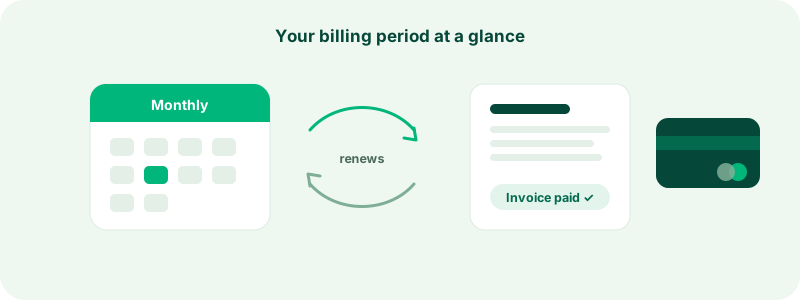
Whichever period you pick, the mechanics are the same: you pay for a period up front, the plan's capabilities are yours for that whole period, and the subscription renews (or expires) when the period ends. Your billing page always shows the exact renewal date.
Tip: If you are new to the platform, monthly is a low-risk way to confirm the paid tools earn their keep. You can switch to a longer, cheaper cycle later — the switch is handled like any other plan change, with unused time credited.
Subscribing from the business panel
- Open your company in the business panel and go to Billing & plan.
- Use the billing-period toggle to choose monthly, yearly, or one of the longer cycles where offered.
- Compare the available plans and pick one. If you selected a preferred plan during the claim flow, it is highlighted for you.
- Choose a payment method and complete checkout.
Only the company owner can purchase or change a plan — team members with manager or lower roles can see the billing page but not spend money. This is deliberate: billing actions move real funds, so they stay with the account that owns the company.
Payment methods
TrustRating supports several ways to pay, depending on what the platform has enabled:
- Card (via Stripe). The most common path. Card subscriptions renew automatically at the end of each period, and you can manage the card, view provider-side invoices, and cancel through a self-service billing portal reached from your billing page.
- Cryptocurrency. Where enabled, checkout hands you to a crypto payment processor that accepts a wide range of coins. Crypto payments buy one period at a time — they cannot pull money from your wallet automatically, so they do not auto-renew by themselves.
- Bank transfer and direct crypto transfer. Where enabled, you can pay by manual transfer: the billing page shows the transfer instructions, you submit your payment reference, and an administrator confirms receipt to activate the plan.
Because crypto and manual plans cannot auto-charge, the platform gives you two renewal options: pay again from the billing page before the period ends, or enable auto-renewal from your TWallet, which pays the next period from a prepaid balance automatically. The TWallet guide explains how that balance works.
Coupons and discount codes
Checkout includes a field for discount codes. A valid code is applied to the price before you pay — discounts can be a percentage or a fixed amount, and some codes apply once while others repeat for several periods. Codes can expire or reach a redemption limit, and the billing page validates yours before you commit. A mistyped or expired code never blocks the purchase; it is simply not applied, so double-check the discount shown before you confirm.
Upgrading mid-cycle
You do not need to wait for your renewal date to move up a tier. Upgrades take effect immediately, and you are not charged twice for the same weeks:
- Card subscriptions are prorated automatically by the payment provider — the unused portion of your old plan is credited against the new one on your next invoice.
- Crypto and manual plans get the same fairness locally: the unused portion of the current period, valued at what you actually paid, is credited against the new plan's charge. The billing page previews this credit before you commit, and the exact figure is recomputed at checkout.
The credit can reduce a charge all the way to zero, but it never converts to a cash refund — it is value carried forward into the new plan.
Downgrading
Moving down a tier works differently, because you have already paid for the current period. Rather than cutting features you paid for, a downgrade is scheduled to take effect when the current period ends — you keep the higher tier until then, and the cheaper plan starts at renewal. If you want to leave paid plans entirely, see cancelling or downgrading your subscription for what changes and when.
Where to compare plans
Two places show the full picture: the public pricing page, which anyone can browse, and the plan section of your billing page, which additionally shows your live usage — invitations sent this period, team seats occupied, companies claimed — against your current plan's limits. When a feature in the panel needs a higher tier, the lock notice names the cheapest plan that includes it, so you always know the minimum upgrade that unlocks what you want.
Common questions
"Can I run more than one company on a single plan?" Plans include an allowance for how many companies one account can manage. Your billing page shows your usage; if you manage several brands, look for a tier with a higher allowance.
"Do longer billing periods lock me in?" You pay for the full period up front, and the plan is yours for that whole period. If you cancel, access continues until the period you paid for ends — nothing disappears the day you cancel.
"What happens if my payment fails?" You get reminders and a grace window before anything is paused — the details are in payments, invoices, and billing details.
"Is there a way to try paid features first?" Depending on platform settings, newly claimed companies may receive a trial of paid features such as widgets. If a trial is active for you, the billing page says so and shows when it ends.
If anything about choosing a plan is unclear, support is one message away — and upgrading is never required to keep your profile, your reviews, or your right to reply.