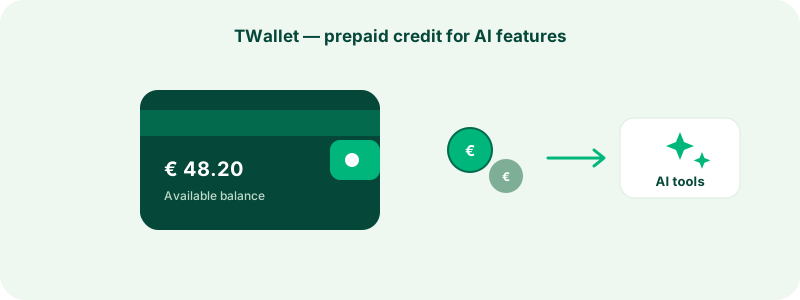
Some of TrustRating's most powerful tools call large AI models on demand — and every one of those calls costs real compute money. Rather than metering you per action on a monthly bill you cannot predict, TrustRating uses a prepaid balance called the TWallet: you deposit money when you choose to, AI actions draw from that balance at a clearly displayed price, and when the balance is empty those actions simply pause until you top up. No surprise invoices, no overdrafts, no open-ended commitment.
This guide explains how to fund the wallet, exactly what spends from it, how to read the transaction history, and how it relates to your subscription.
What the TWallet is — and why prepaid
The TWallet is a per-company prepaid balance, visible on the TWallet page of your business panel. It exists for one category of features: AI actions you trigger on demand, which are metered per use because each one has a real cost the moment you press the button.
Prepaid is a deliberate design choice with three practical benefits:
- Predictable spending. You decide the ceiling. Deposit what you are comfortable with, and AI usage can never exceed it — the balance cannot go negative.
- No surprise bills. Nothing accumulates toward an end-of-month charge. Every action is paid the moment you trigger it, from money you already committed.
- Freedom to experiment. Each action shows its price and debits immediately, so you can try a tool once and decide whether it earns a place in your routine — with nothing recurring attached.
The current per-action prices are always displayed on the wallet page alongside your balance; prices are set by the platform and can change, so the wallet page is the source of truth.
Topping up from the business panel
Adding funds takes a minute:
- Open your company in the business panel and go to the TWallet page.
- In the Add funds section, enter an amount. The page shows the minimum and maximum allowed per top-up.
- Pick a payment method and confirm.
The payment methods mirror the billing rails you already know from plan purchases:
- Card — settles instantly; your balance updates as soon as the payment completes.
- Cryptocurrency — where enabled, you are handed to a crypto payment processor; the balance is credited once the payment confirms.
- Bank transfer or direct crypto transfer — where enabled, the page shows transfer instructions; you submit your transaction reference, and an administrator confirms receipt to credit your wallet. In-progress transfers stay listed on the wallet page so you always know where things stand.
Two details worth knowing. First, where sales tax or VAT applies, it is added on top of your deposit at payment time — the full amount you chose lands in the wallet, and spending the balance later is never taxed again. Second, every settled top-up mints a proper invoice, numbered in the same series as your plan invoices — see payments, invoices, and billing details for where those live.
Only the company owner can add funds, like every other action that moves real money; managers can see the balance and spend it on AI actions.
Tip: Discount codes do not apply to top-ups — a deposit is money in, not a discountable purchase. If you have a coupon, it belongs on a plan checkout instead.
What draws from the balance
The wallet funds AI actions you trigger yourself:
- On-demand AI scans. A scan asks a set of large AI models to evaluate your company fresh, giving you an up-to-date read on how AI systems score and describe your business. Routine scans the platform runs on its own schedule are free — the wallet only pays for extra scans you trigger because you want fresher data now. A short cooldown between on-demand scans prevents accidental double runs.
- AI reply drafts. From any review, you can ask the AI to draft a professional public reply — it thanks the reviewer, acknowledges their specifics, and stays non-defensive. The draft lands in your composer for you to edit and post; you always have the final word.
Each action shows its price before you commit, and the debit happens the moment you trigger it. If an action fails — a scan that never starts, a draft the model could not produce — the charge is refunded automatically, as its own line in your history.
The wallet has one more optional job: renewing your subscription. Plans paid by crypto or manual transfer cannot auto-charge the way cards do, so the billing page lets you renew the next period from your wallet balance — manually with a "renew now" action, or automatically at each period end if you switch auto-renewal on. This is opt-in and never touches your balance unless you enable it. AI features gated by your plan tier — such as the Brand Pulse narrative — are covered by the subscription itself, not metered from the wallet.
The transaction history
Below the balance, the wallet page lists your recent transactions — a ledger where every entry shows the kind of movement, the amount, and the balance immediately after:
- Top-up — money in, linked to the payment that funded it.
- AI scan and AI reply draft — money out, one line per action.
- Refund — an automatic credit for a failed action.
- Plan renewal — a subscription period paid from the balance, when you use that option.
- Adjustment — a manual correction applied by a platform administrator, always with a note explaining why.
Because every line snapshots the balance after it, you can reconcile the history top to bottom and account for every cent. The page also shows lifetime totals for deposits and AI spend, so you can judge at a glance whether your usage matches your funding rhythm.
What happens at zero balance
Nothing dramatic. When the balance cannot cover an action's price, that action fails cleanly with an "insufficient balance" message and a pointer to the top-up form — nothing is charged, nothing goes negative, and no debt accrues.
Crucially, an empty wallet affects only on-demand AI actions. Your subscription, widgets, invitations, analytics, profile, and reviews are completely unaffected — those are governed by your plan, not your wallet. The one exception is self-inflicted: if you rely on wallet auto-renewal to pay your subscription and the balance cannot cover the renewal, the normal renewal reminders will tell you to act, exactly as if any other payment had not arrived.
TWallet versus subscription: two separate things
It is worth being explicit, because the distinction trips people up:
- Your subscription is a recurring plan that switches capabilities on: widgets, invitation allowances, analytics history, team seats, plan-tier AI features. You pay per billing period, and features are either included in your tier or not.
- Your TWallet is a prepaid balance for individually metered AI actions. There is no recurring charge, no tier, and no expiry — the balance sits there until you spend it.
You can hold a wallet balance on the free tier, and you can run a paid plan with an empty wallet. Neither requires the other. If a feature you want is locked, the lock notice in the panel tells you whether the answer is an upgrade or a top-up.
Refunds and adjustments
Failed AI actions refund themselves automatically — you should never pay for an action that produced nothing. For anything beyond that — a top-up sent in error, or a charge you believe is wrong — contact support with the transaction details from your history. Platform administrators can apply corrections to a wallet, and every adjustment appears in your ledger with a note, so nothing changes silently. The general terms governing balances live in the legal hub.
Frequently asked questions
"Does my balance expire?" No. The balance carries forward indefinitely until you spend it.
"Can I withdraw money back out?" The wallet is designed as spending credit, not a bank account. If you deposited in error, contact support promptly — options depend on the payment method and the circumstances.
"Who on my team can spend the balance?" Managers and above can run AI scans; drafting replies is available to anyone who can reply to reviews. Adding funds stays owner-only.
"Why is a scan missing from the history?" Scheduled scans run by the platform are free and never touch the wallet — only scans you trigger yourself appear as charges.
"My company isn't claimed yet — can I use this?" On-demand AI features unlock once the listing is claimed and verified; claiming is free and takes a few minutes.
The TWallet, in short, is the platform's promise that AI features never cost you money you did not consciously commit. Fund it when the tools prove useful, watch the ledger, and let the balance do the budgeting for you.