Reading every review is the right instinct, but past a certain volume it stops scaling — and patterns that are obvious across two hundred reviews are invisible when you read them one at a time. TrustRating's AI tools exist for exactly this gap: they summarize, draft, and analyze so you can spend your time deciding and doing.
This guide covers each AI feature, how to run it, how the TWallet funds the on-demand ones, and — just as important — where AI output should and should not be trusted.
The AI toolkit at a glance
Three AI features are available in the business panel today:
- Brand Pulse — a monthly brand-perception report: what customers praised, what they complained about, and a short written narrative summarizing the month. Included with plans that carry the Brand Pulse capability.
- AI-drafted replies — a draft response to any review, generated in your composer for you to edit and post. Available as a plan capability with selectable tones, and as an on-demand, wallet-funded draft.
- On-demand AI scans — re-run the platform's AI evaluation of your company right now and refresh the AI-derived scores shown publicly, instead of waiting for the next scheduled run. Wallet-funded.
Brand Pulse: a monthly read of what customers actually think
Brand Pulse lives on your Analytics page. Each month it aggregates the reviews published in that period and produces:
- Top praises — the topics your happy reviewers (four and five stars) mentioned most, with counts.
- Top complaints — the topics your unhappy reviewers (one and two stars) raised most, with counts.
- A narrative — a few sentences of plain language summarizing the month's sentiment, written by an AI model over the aggregated topics. It reads like a briefing from an analyst: what went well, what recurred as a problem, how the month felt overall.
The report refreshes automatically every month, and you can regenerate it on demand with the Refresh Brand Pulse button on the analytics page — useful mid-month after a change, or when a batch of new reviews just landed. The card shows which period it covers, how many reviews fed it, and when it was generated, so you always know how current the picture is.
Interpreting the results
Treat the topic buckets as a ranked to-do list. If "delivery" tops your complaints two months running, that is not an anecdote anymore — it is a pattern backed by counts, and fixing it is the highest-leverage thing you can do for next month's reviews. The praise column matters just as much: it tells you what to protect and what to lead with in your marketing. And because Brand Pulse only reads published reviews, its picture matches what the public sees on your profile.
AI-drafted replies: a starting point, never an autopilot
When you open the reply composer on any review, you can ask for an AI draft instead of starting from a blank box. Depending on your setup there are two flavors:
- Smart Reply (a plan capability) generates a draft in a tone you pick — warm, concise, apologetic, or formal — matched to the review's rating and content.
- Wallet-funded drafting charges a small fee from your TWallet per draft and prefills the composer with a professional reply.
In both cases the workflow is deliberately the same: the AI writes a draft, you edit it, and nothing is posted until you press send. Drafts are grounded in the actual review text, but they do not know your order history, your policies, or what you can actually promise this customer — that judgment stays with you. Before posting, always check the specifics, and read our guide on replying to reviews for what makes a public reply genuinely effective.
Tip: The fastest workflow is draft → personalize one detail → send. A single concrete detail ("the courier delay on your March order") is what separates a reply that builds trust from one that reads like a template.
On-demand AI scans
TrustRating periodically evaluates companies with a panel of AI models, and those AI-derived scores appear on your public profile alongside your review-based TrustScore. Site-run scans are free and happen on the platform's schedule. If you have just fixed a problem, rebranded, or otherwise changed your public footprint, you can trigger a fresh scan yourself from the TWallet page instead of waiting.
A few practical rules, all enforced by the platform:
- On-demand scans are available once your company is claimed and verified.
- Each scan costs a fixed fee from your TWallet balance, shown next to the button before you run it.
- There is a short cooldown between scans, so results have time to settle before you run another.
- If a scan fails outright, the charge is refunded to your wallet automatically.
Recent scans are listed on the same page with their status and resulting scores, so you can see exactly what each run produced.
How the TWallet funds it
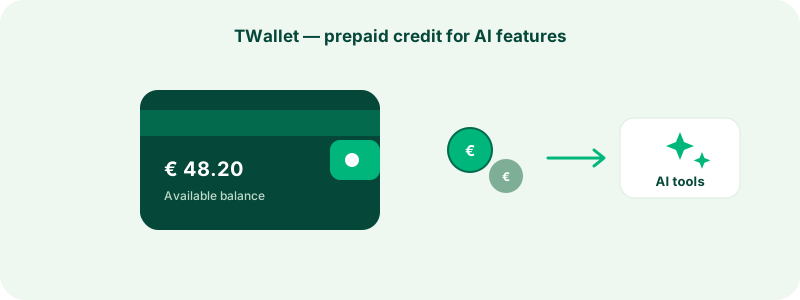
The on-demand AI features draw on your TWallet — a prepaid balance attached to your company. You top it up when you choose, each AI action deducts its listed price, and every movement (top-ups, charges, refunds, adjustments) appears in a transaction ledger you can audit line by line. Failed AI actions are refunded automatically, and only the company owner can add funds, while managers can spend on scans.
The important mental model: plan capabilities (like Brand Pulse and Smart Reply) come with your subscription and cost nothing extra to use, while on-demand actions (extra scans, wallet-funded drafts) are pay-per-use from the wallet. Current per-action prices are always shown in the panel before you commit. The full walkthrough — funding methods, the ledger, refunds — is in understanding the TWallet.
The limits of AI output
Used well, these tools save hours. Used blindly, they can embarrass you. Keep three limits in mind:
- Drafts are drafts. Never post an AI reply unedited. The model cannot verify claims about your inventory, policies, or the customer's actual order — you can.
- Summaries follow the data. Brand Pulse with eight reviews in the month is a weak signal; with two hundred it is a strong one. Check the review count on the card before acting on the report.
- AI narratives can flatten nuance. The narrative is a summary of topic counts, not a substitute for reading your most detailed critical reviews yourself. Use it to decide where to read closely.
How your data is handled
The AI features work on data you already share with the platform: your published reviews and public company information. Review content is processed to generate summaries and drafts for you — it is not used to train public models, and nothing about the process changes what appears on your public profile. AI-generated drafts are shown only to your team until you choose to post one. If you have specific data-handling questions, our legal hub has the formal policies, and support can answer anything specific to your account.
Troubleshooting
"The Refresh Brand Pulse button isn't there." Brand Pulse is a plan capability — check your plan on the billing page. It also requires a manager or owner seat on the company.
"My scan button is greyed out." Three common reasons: the company is not claimed yet, a scan already ran within the cooldown window, or your wallet balance is below the scan price. The button shows which one applies.
"I was charged but got no result." Total failures refund automatically to your wallet — check the ledger for the refund row. If a charge looks wrong and there is no matching refund, contact support with the transaction time and we will investigate the ledger with you.
"The AI draft mentions something untrue." That is expected behavior for a language model working from limited context, and it is exactly why drafts require your edit before posting. Correct it, send the fixed version, and treat the draft as scaffolding rather than a finished product.